Are you ready to start your journey towards getting a driver’s license in Assam? The very first step is to obtain a Learner’s License (LL), and the good news is that you can now complete most of the process from the comfort of your home.
The Government of India’s Parivahan Sarathi portal has streamlined the application process, making it easier and more transparent for everyone. However, navigating the website and understanding the steps can still be a bit tricky.
Don’t worry! This guide will provide you with a complete, step-by-step walkthrough of everything you need to do to apply for your Learner’s License online in Assam. We’ll cover the required documents, fees, the online test, and answer all your common questions.
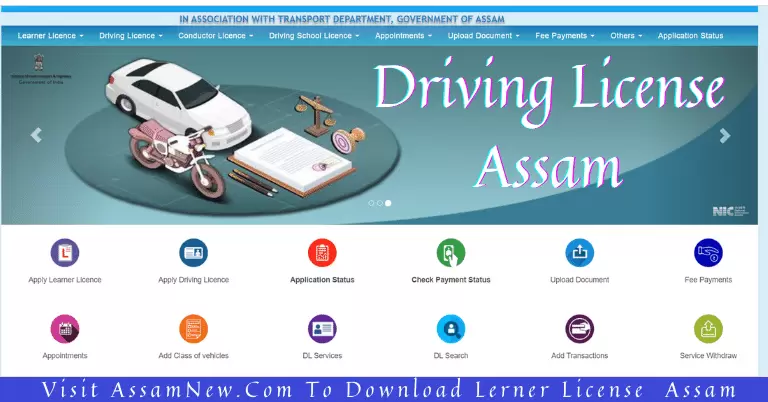
What is a Learner’s License?
A Learner’s License is a temporary license, valid for 6 months, that allows you to legally practice driving on public roads. However, you must be accompanied by a permanent Driving License holder at all times while driving. It is a mandatory document that you must hold for at least 30 days before you can apply for a permanent Driving License.
Eligibility Criteria for a Learner’s License in Assam
Before you start the application, make sure you meet the eligibility criteria.
| Vehicle Type | Minimum Age Requirement |
|---|---|
| Motorcycle without gear (MCWOG) (e.g., Scooty) | 16 years (with parental consent) |
| Motorcycle with gear (MCWG) | 18 years |
| Light Motor Vehicle (LMV) (e.g., Car, Jeep) | 18 years |
| Transport Vehicles | 20 years (and other conditions apply) |
Documents Required for Online Application
To ensure a smooth application process, keep scanned copies or clear photos of the following documents ready on your computer or phone:
- Proof of Age:
- Birth Certificate
- HSLC/Class 10 Marksheet or Admit Card
- Passport
- PAN Card
- Proof of Address:
- Aadhaar Card (highly recommended)
- Voter ID Card
- Passport
- Electricity Bill or other utility bill
- Photograph: A recent passport-sized photograph with a white background.
- Signature: A clear image of your signature on a white paper.
- Form 1 (Self-Declaration of Physical Fitness): You will fill this out online during the application.
- Parental Consent (for 16-17 year olds): A consent form signed by a parent or guardian.
Important Tip: Using your Aadhaar Card for authentication (e-KYC) is the fastest and easiest method, as it automatically fills many of your details and can simplify the verification process.
Step-by-Step Guide to Applying for a Learner’s License Online
The entire process is done through the official Parivahan Sarathi portal. Follow these steps carefully.
Step 1: Visit the Parivahan Sarathi Website
First, open your web browser and go to the official portal.
- Official Link: https://sarathi.parivahan.gov.in/
Step 2: Select Your State
On the homepage, you will be prompted to select your state. Choose “Assam” from the dropdown list.
Step 3: Start the Application
You will now see the main dashboard for transport services.
- Hover over the “Learner’s License” menu.
- From the dropdown, click on “Application for New Learner’s License”.
- Read the instructions on the next page and click “Continue”.
Step 4: Fill in Applicant Details
On this page, you will choose how to fill the form.
- It is highly recommended to select the option “Submit via Aadhaar Authentication”. This makes the process much faster.
- Enter your Aadhaar number and the OTP you receive on your linked mobile number. Your name, date of birth, and address will be automatically fetched.
- If you don’t use Aadhaar, you will have to fill in all the details manually.
- Click “Submit” to proceed.
Step 5: Complete the Application Form
Now, you need to fill out the rest of the application form.
- Select RTO: Choose the RTO (Regional Transport Office) that is closest to your location.
- Select Class of Vehicle: This is very important. Tick the boxes for the vehicle types you want the license for (e.g., “Motorcycle With Gear (MCWG)” and “Light Motor Vehicle (LMV)”).
- Fill in any remaining personal details.
Step 6: Upload Documents
The next step is to upload the documents we listed earlier.
- Upload the scanned copies of your Photograph and Signature.
- Upload your Age Proof and Address Proof documents.
- Click “Next” to save and continue.
Step 7: Pay the Application Fee
You will now be directed to the payment gateway. The fee for a Learner’s License is typically around ₹350 – ₹500, depending on the number of vehicle classes you select.
- Click on “Proceed” to pay the fee.
- You can pay online using a Debit Card, Credit Card, Net Banking, or UPI.
- After a successful payment, a payment receipt will be generated. Save this receipt.
Step 8: Book Your LL Test Slot (or Take the Test from Home)
This is the final and most crucial step.
- For Aadhaar e-KYC users: In many cases, you may be eligible to take the Learner’s License test from home. You will get a link and credentials sent to your mobile number to take the online test.
- For others: You will need to book a slot to visit the RTO for the test. Go to the “Appointments” section on the Sarathi portal and book a convenient date and time.
Preparing for the Learner’s License Test
The LL test is a computer-based test consisting of multiple-choice questions about traffic rules, road signs, and safety.
- Total Questions: Usually 15-20 questions.
- Passing Score: You need to answer about 60% of the questions correctly.
- Study Material: The Parivahan portal has a “Mock Test” feature and a “Question Bank” section. Practice these thoroughly before your test.
Related Post: RTO Exam in Assamese Language
🔗 Quick Links:
| Apply Learner Licence Assam | Click Here |
| Download Learner Licence | Click here |
| Download Driving Licence | Click Here |
| Check Driving Licence Status | Click Here |
| Online Driving Test Assam | Click Here |
| RTO Exam in Assamese Language | Click Here |
| Download Driving Licence App | Click Here |
| RTO official website | Click here |
Frequently Asked Questions (FAQ)
Answer: A Learner’s License is valid for a period of 6 months from the date of issue. You can apply for a permanent Driving License after 30 days of getting your LL.
Answer: Don’t worry. If you fail the test, you can re-apply for it after a waiting period of 7 days. You will have to pay a small re-test fee.
Answer: While it is possible to apply offline at the RTO, the government strongly encourages everyone to use the online Sarathi portal. The online process is much faster, more transparent, and more convenient.
Answer: No. At 16, you are only eligible to apply for a license for a “Motorcycle without Gear” (MCWOG), which includes scooters and mopeds with an engine capacity of up to 50cc. You must be 18 to apply for a geared motorcycle license.