
To collect the last three months’ teacher attendance from Shiksha Setu, you typically need to follow a set process through the platform’s interface. Here’s a complete guide you can follow:
Log into Shiksha Setu:
Open the Shiksha Setu Web portal.
Enter your login credentials (username and password).
Make sure you’re logged in as an authorized user, such as a school administrator or teacher.
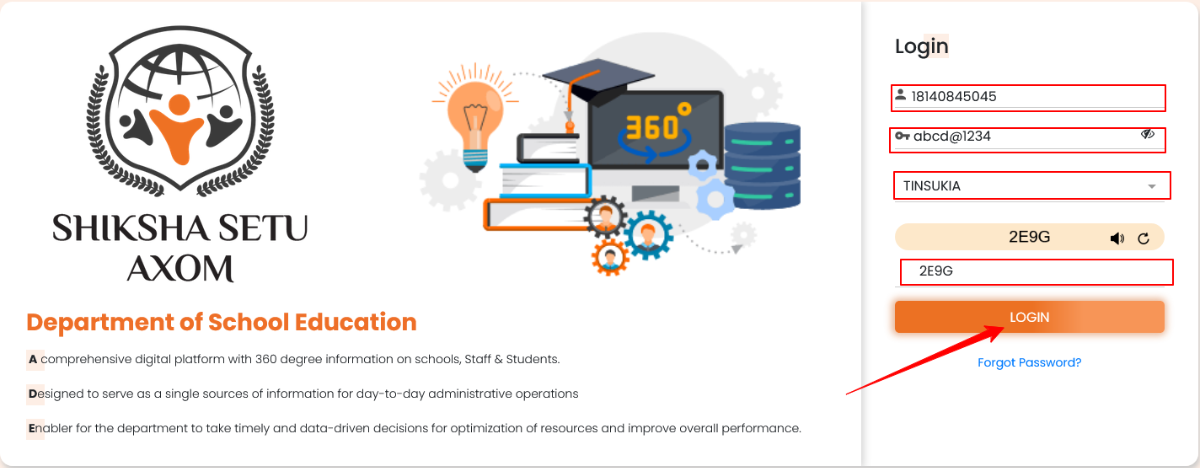
Navigate to the Attendance Section:
Once logged in, look for the “Attendance” section in the main menu or dashboard.
Depending on the interface, you may need to navigate to a section labeled “Teacher Attendance,” “Reports,” or “Attendance History.”
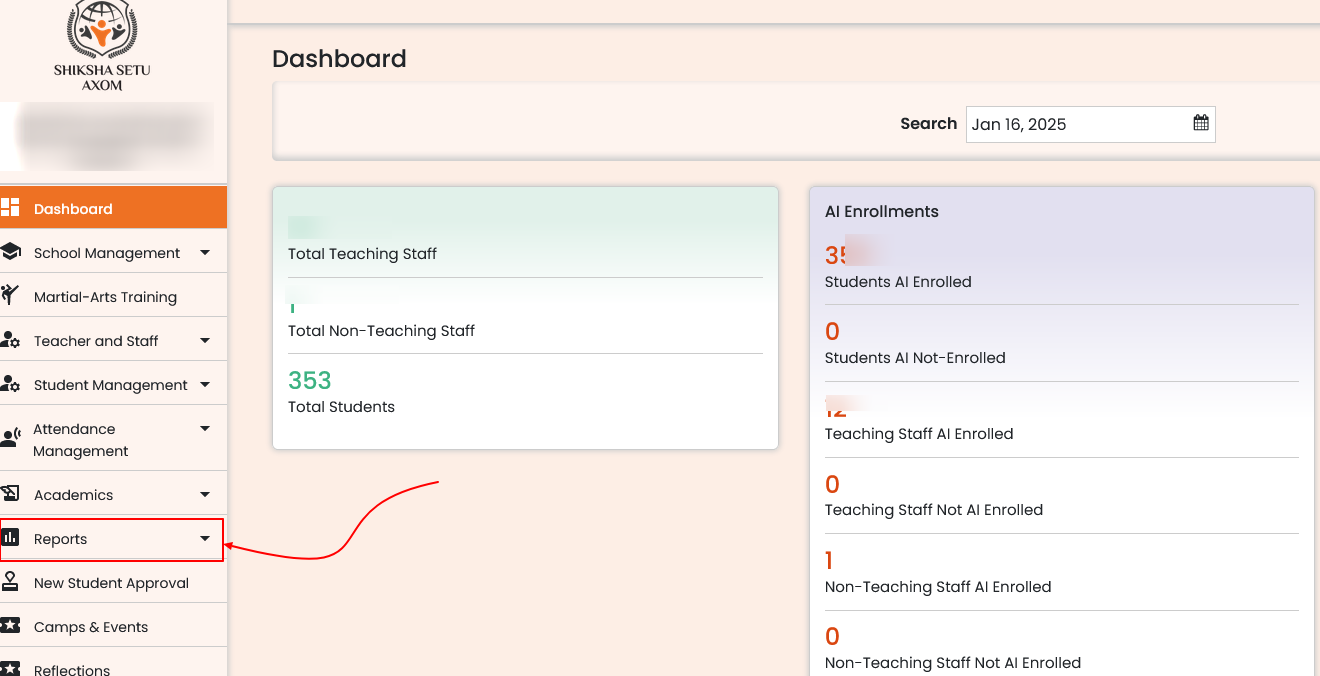
Select the Time Period:
Look for a filter or calendar option to select the specific date range.
Choose the last three months by manually selecting the start and end dates, or select a predefined option if available (e.g., “Last 3 Months”).
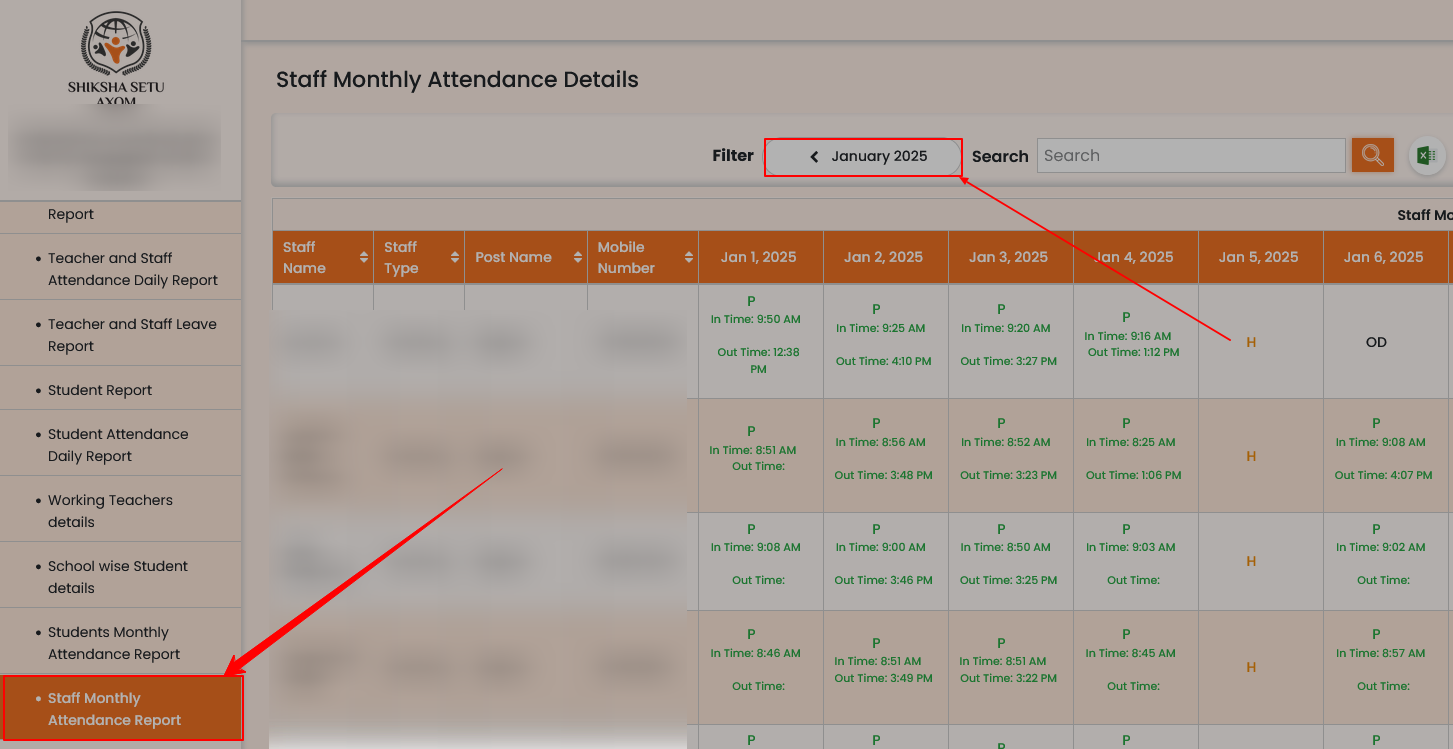
Download or View Attendance Data:
After selecting the appropriate date range, the platform should display the attendance records for the last three months.
You may have options to either view the data on-screen or export it in formats like PDF, Excel, or CSV. Look for a download or export button.
Helpline Number
| Mobile No | 7032564969, 7207830969 |
| website | https://sikshasetu.assam.gov.in/ |
| Gunotsav Assam | View Here |